The Beginner's Handbook to Jev: Primitives, Benchmarks, and Real-World Usage
Published: 2026-09-25
A zero-jargon beginner guide to Jev and System One AI. Learn the three core primitives (Noul, Choice, Score), review 1,000-email benchmarks, and see why direct probability sampling beats conversational LLMs.
Step 1
The AI that refuses to chat: What is Jev actually for?
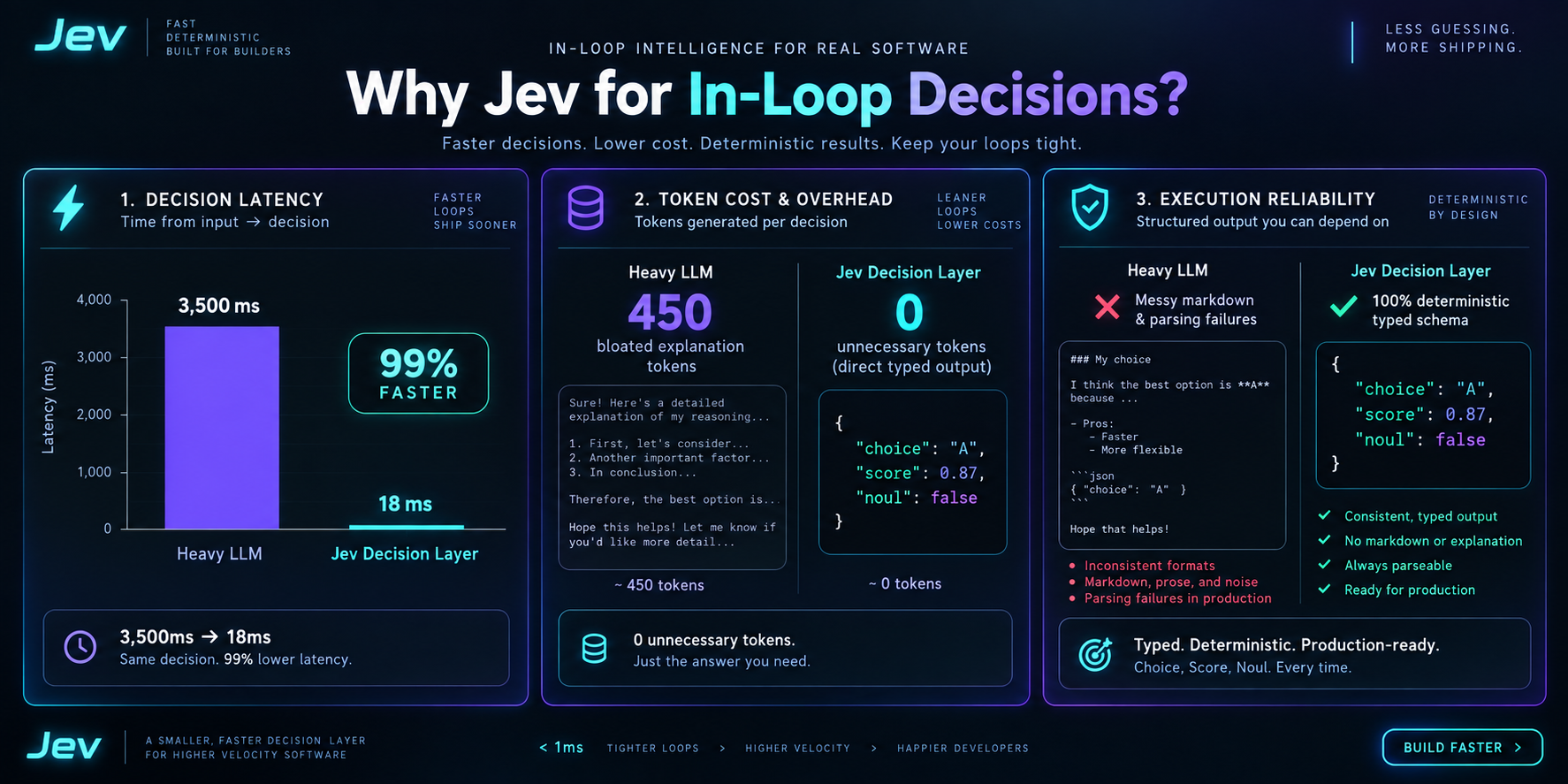
For years, every AI model competed to write longer, more conversational essays. But in software engineering and automated workflows, conversational text is an obstacle: asking an LLM 'Is this email urgent?' causes it to write a 400-word paragraph that developers must tediously regex parse. Jev does the opposite: it deliberately refuses to generate prose, returning only a calibrated structured probability (e.g. is_urgent: 0.95) that code can immediately branch on.
Step 2
The three core primitives: Noul, Choice, and Score
Jev's entire capability is organized around three clean primitives: 1. Noul (True/False): returns a 0-1 probability on whether a condition holds; 2. Choice (Single-select): picks one option from a discrete set and returns the probability distribution across all choices; 3. Score (Continuous scale): rates input on an ordered scale, landing smoothly between discrete levels (e.g. 1.04 between annoyed and furious).
{
  "model": "systemone",
  "state": "Customer: I have been unable to connect Stripe for 3 days, losing revenue. Please refund and contact me immediately!",
  "questions": [
    {
      "type": "noul",
      "id": "is_urgent",
      "instruction": "Does this message convey operational urgency or time sensitivity?"
    },
    {
      "type": "choice",
      "id": "department",
      "instruction": "Which department should handle this ticket?",
      "options": [
        {
          "id": "billing",
          "label": "Payments, invoices, and refunds"
        },
        {
          "id": "technical",
          "label": "Bugs, outages, and API integrations"
        },
        {
          "id": "sales",
          "label": "Pricing and account upgrades"
        }
      ]
    },
    {
      "type": "score",
      "id": "frustration",
      "instruction": "Rate the customer frustration level",
      "levels": [
        "Calm and factual",
        "Dissatisfied but polite",
        "Furious and hostile"
      ]
    }
  ]
}
Step 3
Why is Jev 200x faster and orders of magnitude cheaper?
Traditional LLMs generate responses token-by-token using autoregressive decoding, repeatedly guessing next words before arriving at an answer. Jev uses parallel sampling directly across candidate logits: answering 1 question or 10 questions takes the same 70-500ms. It generates zero output text tokens (output is 100% free), eliminates JSON parsing syntax errors, and uses RLCD (Reinforcement Learning from Calibrated Decisions) to ensure probabilities reflect true statistical certainty.
Step 4
Real-world benchmarks: 1,000 emails and 697 article tags
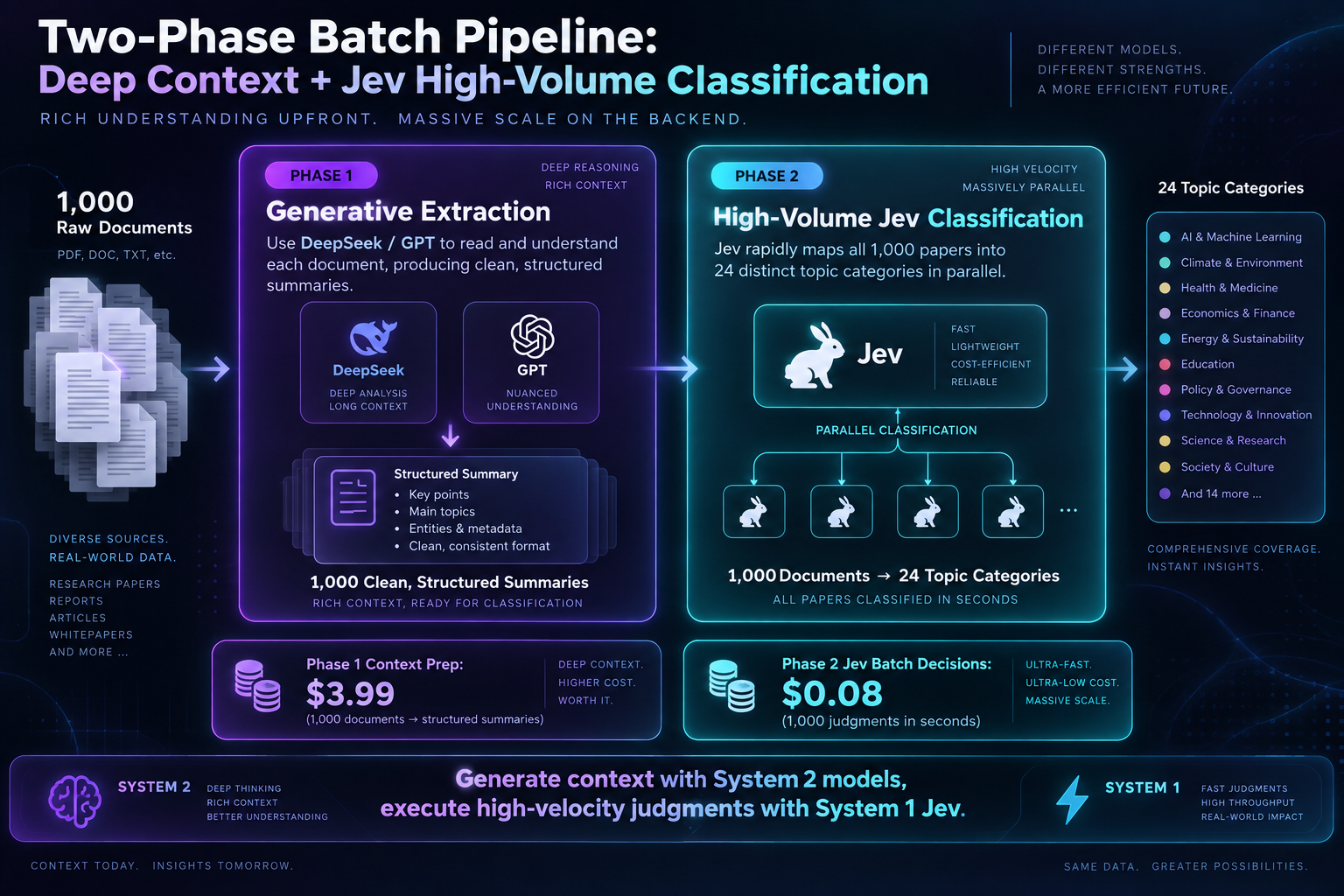
In empirical tests by developer Yupi: 1. 1,000-Email Batch Routing: Jev processed all 1,000 emails in 15.6 seconds (64 emails/sec, costing /bin/zsh.0177), while DeepSeek V4.1 Flash took 48.9 seconds (20 emails/sec, costing /bin/zsh.0207); 2. 697 Tutorial Tagging: accurately assigned 3-dimensional tags (topic, audience level, difficulty) across 697 long articles in minutes.
Step 5
Crucial pitfalls: Jev has no vision and cannot do long-horizon planning
Jev excels strictly at isolated, high-velocity symbolic micro-decisions. It has no native vision modalities: attempting to play interactive web games like puzzle-matching works only when code extracts clean DOM structures before calling Jev. If an agent tries to use Jev to visually browse raw canvas pixels or execute 20-step sequential workflows, it will fail. Always feed Jev structured facts, not raw pixels.
Step 6
Getting started: SDK integration and Codex Skills
TypeSafe provides official Python and TypeScript clients (via typesafe-sdk). In AI coding assistants like Codex or Claude Code, installing the TypeSafe skill and configuring TYPESAFE_API_KEY allows you to trigger Jev directly in natural language by saying 'Use Jev to evaluate this' or invoking the /typesafe-ai skill command.
Related projects
- @typesafe-ai/sdk — Official TypeScript/JavaScript client for POST https://api.typesafe.ai/v1/systemone.
- fast-jev-compaction — Claude Code plugin and npm library that asks Jev which tool calls to keep, instead of summarizing the transcript.
- jev-sentinel — Pi, Claude Code, and Codex CLI guard that asks Jev whether a tool call is on-task, risky, or injected before it runs.